


Beyond Fat Controllers: Elevating Laravel Business Logic with Service Classes
As Laravel developers, we all love the framework's elegance and power. It allows us to build robust applications with incredible speed. However, as projects grow in complexity, a common challenge emerges: where does the "business logic" truly belong? Without a clear strategy, controllers can become "fat," models can get bloated with non-persistence-related methods, and our beautiful Laravel applications can start to feel clunky and difficult to maintain.
Enter Service Classes – a powerful architectural pattern that helps us extract and encapsulate complex business operations, leading to cleaner, more testable, and highly maintainable codebases. If you've ever struggled with sprawling controllers or models that do too much, this guide is for you. We're going to dive deep into why and how to move your Laravel business logic into dedicated service classes, transforming your application into a marvel of clarity and efficiency.
What Exactly Are Service Classes?
At its core, a service class is a plain PHP class designed to encapsulate a specific piece of business logic or a set of related operations. Unlike controllers, which are concerned with handling HTTP requests, or models, which primarily manage database interactions, service classes focus purely on the "what" of your application's business rules.
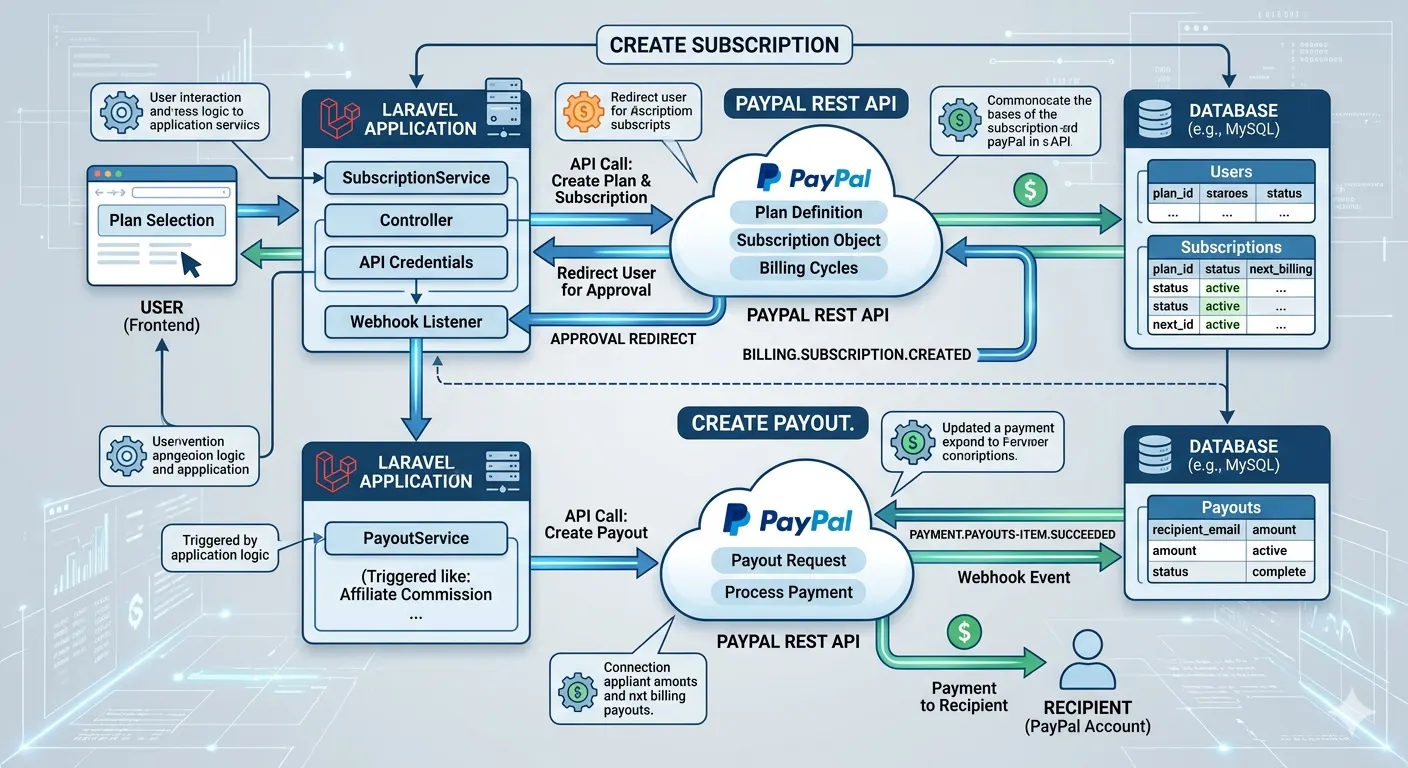
Think of them as dedicated workers within your application. When a user registers, an order is placed, or a complex report needs generation, a service class can orchestrate all the necessary steps – validating input, interacting with multiple models, calling external APIs, dispatching events, and more – all without cluttering your controllers or models with operational details.
Why Move Your Logic to Service Classes? The Unbeatable Benefits
The decision to adopt service classes isn't just about adhering to a design pattern; it's about solving real-world development problems. Here are the compelling reasons why this architectural shift is a game-changer for your Laravel projects:
Enhanced Maintainability and Readability
When business logic is spread across controllers, models, and even views (heaven forbid!), understanding how a particular feature works becomes a debugging nightmare. Service classes centralize related logic. This means that if you need to modify a specific business rule, you know exactly where to look – within its dedicated service. Controllers become lean, focusing solely on receiving requests and delegating tasks, making them much easier to read and understand at a glance.
Superior Testability
One of the most significant advantages of service classes is how dramatically they improve your application's testability. Because service classes encapsulate discrete units of logic, they can be tested in isolation with simple unit tests. You don't need to boot up the entire Laravel application, simulate HTTP requests, or interact with a database to test a complex calculation or a series of validations. This leads to faster, more reliable, and more comprehensive test suites, boosting your confidence in your application's behavior.
Promoting Reusability and the DRY Principle
Imagine you have a complex user registration process that involves multiple steps: creating the user record, assigning roles, sending a welcome email, and logging the event. Without service classes, this logic might be duplicated across your web controller, your API controller, and perhaps even a console command for bulk imports. With a UserService, this entire process is encapsulated in a single method (e.g., registerUser()). This service can then be injected and called from any part of your application, ensuring consistency and adhering to the "Don't Repeat Yourself" (DRY) principle.
Improved Scalability and Separation of Concerns
As your application scales, managing complexity becomes paramount. Service classes naturally enforce a stronger "Separation of Concerns" (SoC). Controllers handle the HTTP layer, models handle data persistence, and service classes handle the business logic. This clear division makes it easier to onboard new developers, understand the codebase's architecture, and extend features without fear of breaking existing functionality. It's a foundational step towards building truly scalable and robust applications.
When Should You Embrace Service Classes in Laravel?
While the benefits are clear, it's essential to understand when service classes are most appropriate. They are not a silver bullet for every piece of logic, but they shine in specific scenarios:
- Complex, Multi-step Operations: Think order processing, user onboarding flows, or financial transactions that involve multiple database updates, external API calls, and event dispatches.
- Interacting with External APIs or Third-Party Services: Encapsulate the logic for payment gateways, SMS services, or analytics platforms within dedicated services. This makes switching providers or modifying API integrations much simpler.
- Calculations and Transformations: If you have complex calculations, data transformations, or aggregation logic that doesn't directly relate to a single model's attributes, a service is an ideal place.
- Logic Shared Across Different Entry Points: When the same business process needs to be triggered by a web request, an API call, a console command, or a queued job, a service ensures consistency and prevents duplication.
- Orchestrating Multiple Models: If a single operation requires fetching and manipulating data from several different models, a service can manage this orchestration elegantly.
How to Implement Service Classes in Your Laravel Application
Integrating service classes into your Laravel project is straightforward, thanks to Laravel's robust service container and dependency injection capabilities. Let's walk through a practical example.
1. Create Your Service Class
A common convention is to create an App\Services directory. Let's create a OrderService:
namespace App\Services;

use App\Models\Order;
use App\Models\Product;
use App\Models\User;
use Illuminate\Support\Facades\DB;
use App\Events\OrderPlaced;

class OrderService
{
    /**
     * Creates a new order for a user with given products.
     *
     * @param User $user
     * @param array $productIds
     * @return Order
     * @throws \Exception
     */
    public function createOrder(User $user, array $productIds): Order
    {
        // Start a database transaction to ensure atomicity
        DB::beginTransaction();

        try {
            $order = new Order();
            $order->user_id = $user->id;
            $order->status = 'pending';
            $order->total_amount = 0; // Will be calculated below
            $order->save();

            $totalAmount = 0;
            $products = Product::whereIn('id', $productIds)->get();

            if ($products->count() !== count($productIds)) {
                throw new \Exception('One or more products not found.');
            }

            foreach ($products as $product) {
                // Attach product to order (e.g., pivot table)
                $order->products()->attach($product->id, ['quantity' => 1, 'price' => $product->price]);
                $totalAmount += $product->price;
                // Potentially decrement stock here if applicable
            }

            $order->total_amount = $totalAmount;
            $order->save(); // Update total amount

            DB::commit();

            // Dispatch an event after the order is successfully created
            event(new OrderPlaced($order));

            return $order;
        } catch (\Exception $e) {
            DB::rollBack();
            // Log the exception
            \Log::error("Failed to create order: " . $e->getMessage(), ['user_id' => $user->id, 'product_ids' => $productIds]);
            throw $e; // Re-throw to be handled by controller or caller
        }
    }

    /**
     * Processes payment for a given order.
     * (Placeholder for actual payment gateway integration)
     *
     * @param Order $order
     * @param array $paymentDetails
     * @return bool
     */
    public function processPayment(Order $order, array $paymentDetails): bool
    {
        // Simulate payment processing
        if (rand(0, 1)) { // 50% chance of success
            $order->status = 'paid';
            $order->payment_details = json_encode($paymentDetails);
            $order->save();
            // Dispatch payment success event
            return true;
        }

        $order->status = 'payment_failed';
        $order->save();
        // Dispatch payment failure event
        return false;
    }
}
2. Inject and Use the Service in Your Controller
Now, your controller becomes wonderfully thin and focused. Laravel's service container automatically resolves dependencies declared in your controller's constructor.
namespace App\Http\Controllers;

use App\Http\Requests\CreateOrderRequest;
use App\Models\User;
use App\Services\OrderService; // Import your service
use Illuminate\Http\Request;

class OrderController extends Controller
{
    protected $orderService;

    // Laravel's service container automatically injects OrderService
    public function __construct(OrderService $orderService)
    {
        $this->orderService = $orderService;
    }

    /**
     * Handle a request to create a new order.
     *
     * @param CreateOrderRequest $request
     * @return \Illuminate\Http\JsonResponse
     */
    public function store(CreateOrderRequest $request)
    {
        try {
            // Assuming the authenticated user is the one placing the order
            $user = auth()->user(); // Or fetch by ID: User::findOrFail($request->user_id)
            if (!$user) {
                return response()->json(['message' => 'User not found or unauthenticated.'], 401);
            }

            $productIds = $request->input('product_ids');

            // Delegate the complex business logic to the service class
            $order = $this->orderService->createOrder($user, $productIds);

            // Respond with success
            return response()->json([
                'message' => 'Order created successfully!',
                'order_id' => $order->id,
                'total_amount' => $order->total_amount,
            ], 201);

        } catch (\Exception $e) {
            // Handle specific exceptions or return a generic error
            return response()->json(['message' => 'Failed to create order: ' . $e->getMessage()], 500);
        }
    }

    /**
     * Handle a request to process payment for an order.
     *
     * @param Request $request
     * @param int $orderId
     * @return \Illuminate\Http\JsonResponse
     */
    public function processOrderPayment(Request $request, int $orderId)
    {
        $order = \App\Models\Order::findOrFail($orderId);
        $paymentDetails = $request->validate([
            'card_number' => 'required|string',
            'expiry_date' => 'required|string',
            'cvv' => 'required|string',
        ]);

        try {
            $success = $this->orderService->processPayment($order, $paymentDetails);

            if ($success) {
                return response()->json(['message' => 'Payment processed successfully!', 'order_status' => $order->status]);
            } else {
                return response()->json(['message' => 'Payment failed. Please try again.', 'order_status' => $order->status], 400);
            }
        } catch (\Exception $e) {
            return response()->json(['message' => 'An error occurred during payment processing: ' . $e->getMessage()], 500);
        }
    }
}
Notice how the controller is now much cleaner. It handles the HTTP request, validation (potentially via Form Requests), and then delegates the core business operation to the OrderService. It doesn't know *how* an order is created; it just knows *that* it needs to create one.
Best Practices for Your Laravel Service Classes
To maximize the benefits of service classes, consider these best practices:
- Adhere to the Single Responsibility Principle (SRP): Each service class should have one primary reason to change. Avoid creating "God Services" that handle every possible operation. If a service starts doing too much, consider breaking it down into smaller, more focused services.
- Meaningful Naming: Name your services descriptively, reflecting their core responsibility (e.g.,
UserRegistrationService,PaymentGatewayService,InvoiceGeneratorService). - Keep Methods Small and Focused: Just like controllers, methods within services should ideally do one thing well. A
createOrdermethod might orchestrate several steps, but each step itself could be a smaller private or protected method within the service or even delegated to another service. - Inject Dependencies, Don't Instantiate: Always inject other services, repositories, or models into your service's constructor rather than instantiating them directly. This makes your services more testable and flexible.
- Consider Interfaces for Larger Projects: For very large applications, defining an interface for your services (e.g.,
OrderServiceInterfaceimplemented byOrderService) can provide even looser coupling and make mocking for tests even easier. - Services Orchestrate, Models Persist: Services should orchestrate business logic, often interacting with multiple models or repositories. Models, conversely, should primarily focus on their data attributes and relationships, perhaps containing simple getters, setters, or query scopes.
Potential Drawbacks and Considerations
While highly beneficial, it's worth noting a couple of considerations:
- Potential for Over-engineering: Don't introduce a service class for every trivial operation. If a controller action is simple (e.g., fetching a single record and returning it), a service might be overkill. Use services where complexity warrants them.
- Initial Setup Overhead: Creating more files and structuring your application requires a bit more thought upfront. However, this investment pays dividends quickly as your application grows.
Conclusion: Embrace Clean Architecture for Sustainable Laravel Development
Moving business logic into dedicated service classes is more than just a coding convention; it's a strategic move towards building more maintainable, testable, and scalable Laravel applications. By embracing this pattern, you'll transform your "fat controllers" and "anemic models" into a clean, well-structured codebase that is a joy to work with.
It empowers your team to develop features faster, debug issues more efficiently, and adapt to changing requirements with greater agility. Start refactoring your complex logic today, and experience the profound positive impact on your Laravel development journey. Your future self (and your team) will thank you!
Other Categories









All Rights Reserved © 2026